我使用香橙派5 plus刷入openwrt作为软路由使用,官方文档中说明openwrt镜像目前适配的PCIe无线网卡型号有限,并且仅支持2.4G频段wifi,而我只有一个不受支持的RTL8852BE网卡。
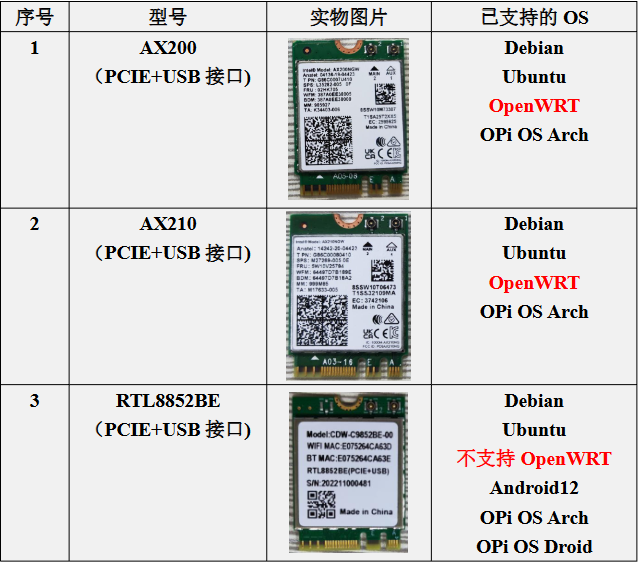
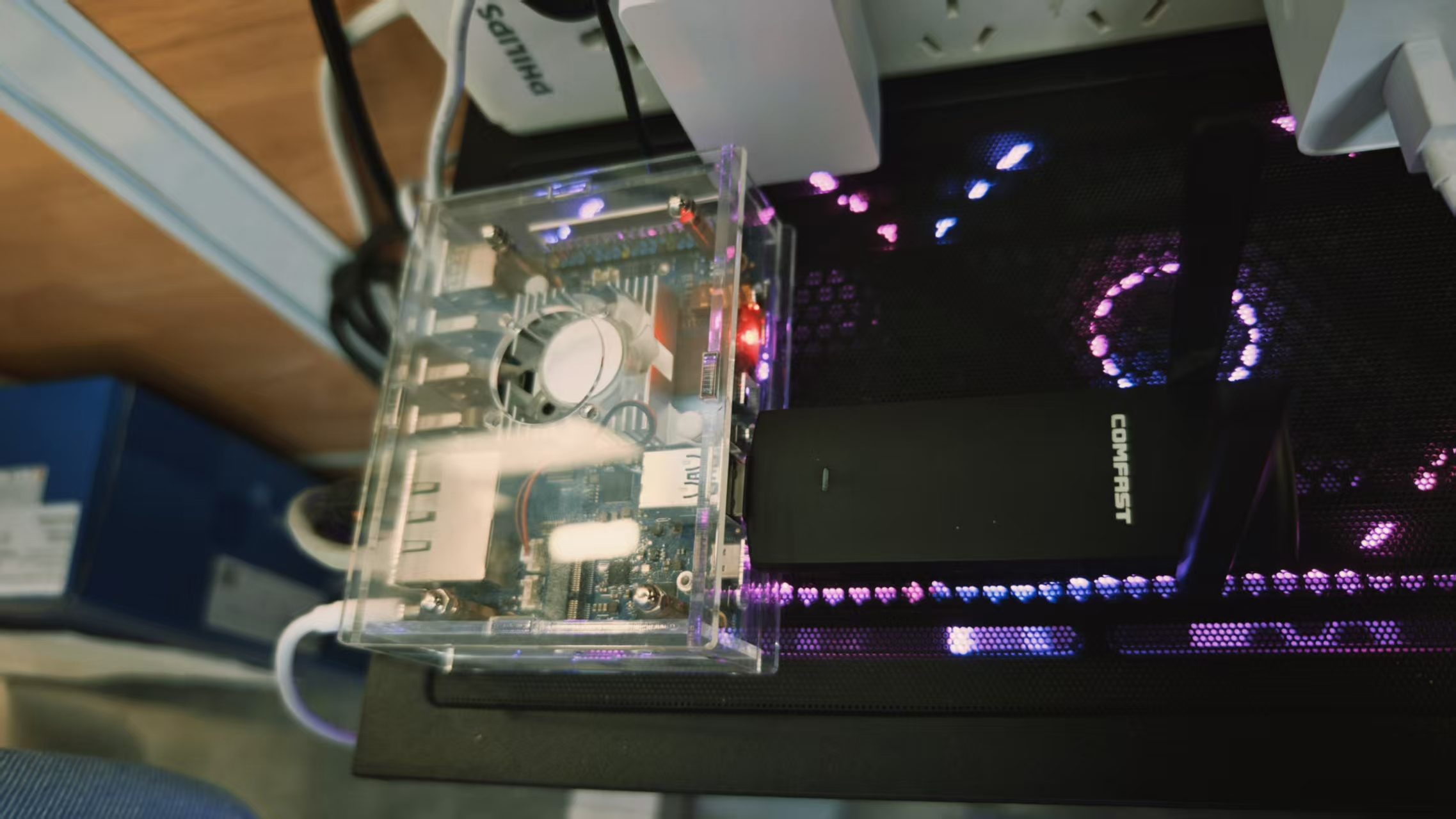
某一天我灵光一闪,忽然想到可以外接一个USB无线网卡来提供wifi,理论上只需要安装相应的驱动即可。我刚好有一个闲置的COMFAST 1300Mbps网卡,把它查到openwrt的USB3.0接口上。
接下来使用ssh登录到openwrt,执行 lsusb 查看是否可以正常检测到网卡,注意到 MediaTek Inc. 802.11ac WLAN 就是我刚刚插入的网卡
root@OpenWrt:~# lsusb
Bus 007 Device 001: ID 1d6b:0002 Linux 5.10.110 xhci-hcd xHCI Host Controller
Bus 002 Device 001: ID 1d6b:0002 Linux 5.10.110 ehci_hcd EHCI Host Controller
Bus 004 Device 001: ID 1d6b:0001 Linux 5.10.110 ohci_hcd Generic Platform OHCI controller
Bus 006 Device 003: ID 0e8d:7612 MediaTek Inc. 802.11ac WLAN
Bus 006 Device 002: ID 05e3:0620 GenesysLogic USB3.2 Hub
Bus 006 Device 001: ID 1d6b:0003 Linux 5.10.110 xhci-hcd xHCI Host Controller
Bus 008 Device 001: ID 1d6b:0003 Linux 5.10.110 xhci-hcd xHCI Host Controller
Bus 005 Device 002: ID 05e3:0610 GenesysLogic USB2.1 Hub
Bus 001 Device 001: ID 1d6b:0002 Linux 5.10.110 ehci_hcd EHCI Host Controller
Bus 003 Device 001: ID 1d6b:0001 Linux 5.10.110 ohci_hcd Generic Platform OHCI controller
Bus 005 Device 001: ID 1d6b:0002 Linux 5.10.110 xhci-hcd xHCI Host Controller
执行 lsusb -t ,发现网卡对应驱动为 mt76x2u ,说明网卡驱动已经正常加载,如果这里显示为空,可以通过USB设备的厂商ID 0e8d:7612 查询对应驱动安装。比较新的openwrt内置了常见的网卡驱动,一般来说都可以自动识别成功。
root@OpenWrt:~# lsusb -t
/:  Bus 08.Port 1: Dev 1, Class=root_hub, Driver=xhci-hcd/1p, 5000M
/:  Bus 07.Port 1: Dev 1, Class=root_hub, Driver=xhci-hcd/1p, 480M
/:  Bus 06.Port 1: Dev 1, Class=root_hub, Driver=xhci-hcd/1p, 5000M
    |__ Port 1: Dev 2, If 0, Class=, Driver=hub/4p, 5000M
        |__ Port 3: Dev 3, If 0, Class=, Driver=mt76x2u, 5000M
/:  Bus 05.Port 1: Dev 1, Class=root_hub, Driver=xhci-hcd/1p, 480M
    |__ Port 1: Dev 2, If 0, Class=, Driver=hub/4p, 480M
/:  Bus 04.Port 1: Dev 1, Class=root_hub, Driver=ohci-platform/1p, 12M
/:  Bus 03.Port 1: Dev 1, Class=root_hub, Driver=ohci-platform/1p, 12M
/:  Bus 02.Port 1: Dev 1, Class=root_hub, Driver=ehci-platform/1p, 480M
/:  Bus 01.Port 1: Dev 1, Class=root_hub, Driver=ehci-platform/1p, 480M
此时,在openwrt的管理后台没有 无线 的选项,状态栏也没有显示无线网络的状态,这是由于 /etc/config/wireless 配置未生成或者wifi配置未激活。执行下面的命令后即可创建一个名为 openwrt 的开放WIFI,之后可以在web管理页面就可以进行配置了。
# 移除旧配置(可选,谨慎操作)
rm -f /etc/config/wireless

# 重新扫描硬件生成配置
wifi detect > /etc/config/wireless

uci set wireless.radio0.disabled='0'
uci commit wireless
wifi
如果web管理后台中的 网络 面板下没有 无线 选项,尝试安装相应的luci组件 opkg install luci-mod-network。
以上是正常的USB无线网卡使用流程,但是后面我发现了新的问题,路由器每次断电重启后,系统无法正确识别USB设备,但是重新拔插后可以正常使用,执行 lsusb 显示下面的内容,网卡名称变成了奇怪符号Љ Љ。
root@OpenWrt:~# lsusb

Bus 006 Device 002: ID 05e3:0620 GenesysLogic USB3.2 Hub

Bus 007 Device 001: ID 1d6b:0002 Linux 5.10.110 xhci-hcd xHCI Host Controller

Bus 002 Device 001: ID 1d6b:0002 Linux 5.10.110 ehci_hcd EHCI Host Controller

Bus 004 Device 001: ID 1d6b:0001 Linux 5.10.110 ohci_hcd Generic Platform OHCI controller

Bus 006 Device 001: ID 1d6b:0003 Linux 5.10.110 xhci-hcd xHCI Host Controller

Bus 008 Device 001: ID 1d6b:0003 Linux 5.10.110 xhci-hcd xHCI Host Controller

Bus 005 Device 003: ID 0e8d:2870 Љ Љ

Bus 005 Device 002: ID 05e3:0610 GenesysLogic USB2.1 Hub

Bus 001 Device 001: ID 1d6b:0002 Linux 5.10.110 ehci_hcd EHCI Host Controller

Bus 003 Device 001: ID 1d6b:0001 Linux 5.10.110 ohci_hcd Generic Platform OHCI controller

Bus 005 Device 001: ID 1d6b:0002 Linux 5.10.110 xhci-hcd xHCI Host Controller解决思路是在系统层面模拟usb设备的热插拔,使用到usbreset命令,对0e8d:2870设备进行重置
# 使用 ID 进行复位
usbreset 0e8d:2870
执行后,请立即运行 dmesg | tail -n 20。如果成功,会看到类似 usb disconnect 紧接着 new high-speed USB device 的日志。
root@OpenWrt:~# usbreset 0e8d:2870
Resetting Љ … ok
root@OpenWrt:~# dmesg | tail -n 20
[   36.710164] vcc_mipicsi1: disabling
[   36.710714] vdd_gpu_s0: disabling
[  310.630051] EXT4-fs (mmcblk0p2): error count since last fsck: 4
[  310.630104] EXT4-fs (mmcblk0p2): initial error at time 1769076913: ext4_new_inode:1274 [  310.630122] EXT4-fs (mmcblk0p2): last error at time 1769161757: _ext4_new_inode:1274 [  433.550894] usb 5-1.3: reset high-speed USB device number 3 using xhci-hcd
[  433.811847] usb 5-1.3: USB disconnect, device number 3
[  434.610286] usb 6-1.3: new SuperSpeed Gen 1 USB device number 3 using xhci-hcd
[  434.642867] usb 6-1.3: New USB device found, idVendor=0e8d, idProduct=7612, bcdDevice= 1.00
[  434.642932] usb 6-1.3: New USB device strings: Mfr=1, Product=2, SerialNumber=3 [  434.642958] usb 6-1.3: Product: 802.11ac WLAN
[  434.642980] usb 6-1.3: Manufacturer: MediaTek Inc.
[  434.643002] usb 6-1.3: SerialNumber: 000000000
[  434.761310] usb 6-1.3: reset SuperSpeed Gen 1 USB device number 3 using xhci-hcd
[  434.793719] mt76x2u 6-1.3:1.0: ASIC revision: 76120044
[  434.834480] mt76x2u 6-1.3:1.0: ROM patch build: 20141115060606a
[  434.993120] mt76x2u 6-1.3:1.0: Firmware Version: 0.0.00
[  434.993166] mt76x2u 6-1.3:1.0: Build: 1
[  434.993178] mt76x2u 6-1.3:1.0: Build Time: 201607111443_
[  435.855165] ieee80211 phy0: Selected rate control algorithm 'minstrel_ht'
为了让这个过程自动化,编写一个看门狗脚本在系统每次启动后自动运行,脚本内容如下:
#!/bin/sh
sleep 10

# 1. 检查是否处于乱码异常状态 (0e8d:2870)
if lsusb | grep -q "0e8d:2870"; then
    echo "检测到网卡固件未加载(乱码),正在重置 USB..."
    usbreset 0e8d:2870
    sleep 3  # 等待硬件重新枚举
fi

# 2. 检查驱动是否识别出正确的设备 (7612)
if lsusb | grep -q "0e8d:7612"; then
    echo "网卡硬件正常,正在激活 WiFi 射频..."
    # 尝试激活所有无线接口
    rm -f /etc/config/wireless
    wifi detect > /etc/config/wireless

    # 2. 自动配置 radio0 (如果是多网卡,系统通常会把 USB 网卡识别为 radio0)
    uci set wireless.radio0.disabled='0'
    uci set wireless.radio0.country='CN'
    uci set wireless.radio0.channel='36'  # 强烈建议固定信道,防止 auto 导致失败
    uci set wireless.radio0.band='5g'


    # 3. 自动配置无线接口 (SSID 和 密码)
    # 注意:这里假设探测出的是 default_radio0
    uci set wireless.default_radio0.ssid='Openwrt'
    uci set wireless.default_radio0.encryption='psk2'
    uci set wireless.default_radio0.key='12345678'

    # 4. 提交修改并强制拉起
    uci commit wireless
    wifi reload
    sleep 1
    wifi up
else
    echo "未发现匹配的 USB 网卡,请检查物理连接。"
fi
最后将该脚本添加到 /etc/rc.local即可。
相关笔记